
Lastly, as I was working on the Calendar+: App Blocker project and posted about it on Reddit, someone asked if there are ways to bypass the block and access apps by uninstalling the app.
As I was searching, I came across an interesting piece of code that can prevent your app from being uninstalled. However, it’s not just a single line of code—there are two steps you need to take before you can implement this:
- Request Family Controls access from Apple.
- Request Screen Time Control authorization from the user.
Once those steps are completed, you can add the following line of code to deny the app’s removal:
ManagedSettingsStore().application.denyAppRemoval = true
If the user tries to delete the app, it will look like this:
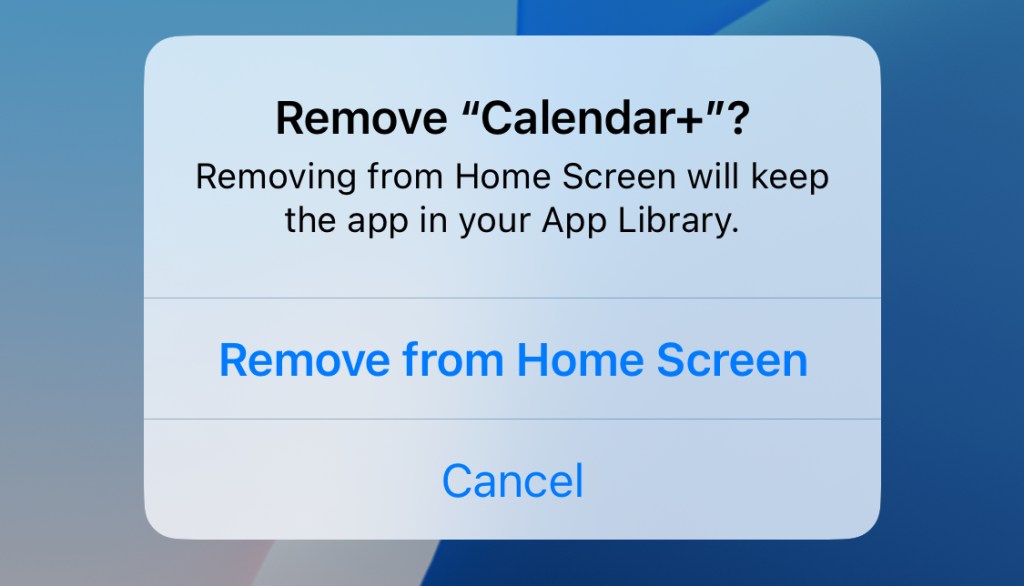
We use this option only when users enable our Deep Focus feature, to prevent them from uninstalling the app and bypassing the apps they have blocked.

 Adriatik's Blog
Leave a comment